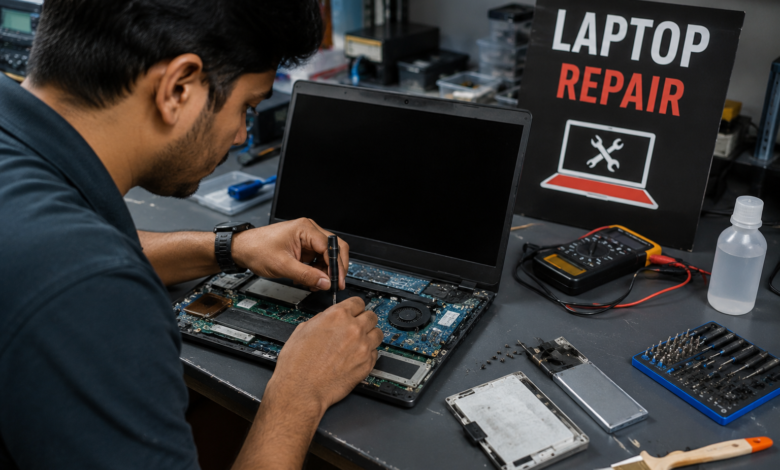
Laptop Repair when your device suddenly slows down, crashes, or refuses to turn on, becomes more than just a technical task—it turns into a necessity. In today’s digital world, laptops are essential tools for work, communication, and entertainment. A malfunctioning device can disrupt your entire routine, which is why understanding the basics is incredibly valuable.
At its core, involves diagnosing and fixing both hardware and software issues. These problems can range from something simple like a faulty charger to more complex concerns like motherboard damage. Knowing the difference helps you decide whether you can fix the issue yourself or need professional help.
There’s also a cost-saving angle to consider. Instead of rushing to buy a new device, exploring laptop repair options can extend the life of your current machine. With the right approach, you can often restore performance without spending a fortune, making repair a smart and practical choice.
Common Laptop Issues That Require Repair
Laptops can run into a wide variety of problems, and recognizing them early makes a huge difference. One of the most frequent issues is overheating, which often results from dust buildup or failing cooling systems. This can slow down performance and even cause unexpected shutdowns.
Another common reason is a damaged screen. Cracks, flickering displays, or dead pixels can make your device nearly unusable. While it might look like a major issue, screen replacement is actually one of the more straightforward repairs.
Software-related problems also play a big role. Viruses, corrupted files, or outdated systems can lead to crashes and sluggish performance. In many cases, laptop repair doesn’t even require opening the device—it just involves cleaning up the software environment.
DIY Laptop What You Can Handle Yourself
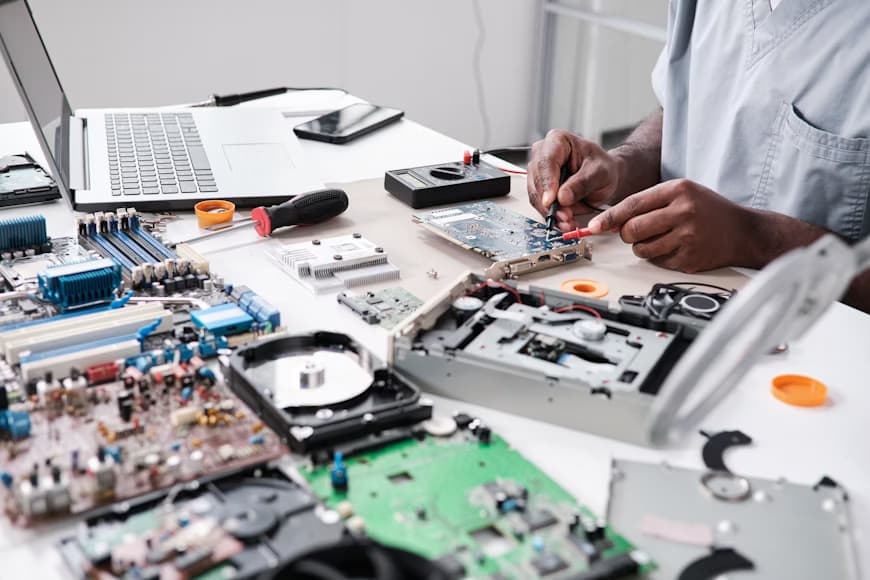
Not every issue requires a technician. In fact, some Laptop Repair tasks are surprisingly manageable at home. For example, replacing a battery or upgrading RAM is often straightforward if you follow proper instructions and safety precautions.
Cleaning your laptop is another simple yet effective step. Dust accumulation inside the vents can cause overheating, so carefully removing debris can improve performance. It’s a small effort that can prevent bigger problems down the line.
However, it’s important to know your limits. While DIY laptop repair can save money, attempting complex fixes without experience can lead to further damage. If you’re unsure, it’s always better to pause and seek professional guidance rather than risk making the situation worse.
When to Seek Professional Repair Services
There are times when laptop repair is best left to experts. Issues like motherboard failure, water damage, or complex electrical faults require specialized tools and expertise. Trying to fix these on your own can be risky and often leads to higher repair costs later.
Professional technicians bring diagnostic precision to the table. They can quickly identify the root cause of a problem, saving you time and frustration. This is especially helpful when the issue isn’t obvious or involves multiple components.
Another advantage of professional is reliability. Reputable repair services often provide warranties on their work, giving you peace of mind. While it may cost more upfront, the long-term benefits often outweigh the expense.
Cost Factors in Laptop Repair
The cost of laptop repair can vary widely depending on the issue. Minor fixes like replacing a keyboard or battery are usually affordable, while major repairs like motherboard replacement can be significantly more expensive.
Brand and model also influence pricing. High-end laptops often have specialized parts, which can drive up repair costs. Additionally, newer models may require more advanced tools and expertise, adding to the overall expense.
It’s always a good idea to compare repair costs with the price of a new laptop. In some cases, extensive laptop repair may not be worth it. However, for many common issues, repairing your device remains the more economical option.
Preventive Maintenance to Avoid Repairs
One of the smartest ways to deal with laptop repair is to prevent the need for it in the first place. Regular maintenance can keep your device running smoothly and reduce the likelihood of major issues.
Simple habits like keeping your laptop clean, avoiding overheating, and using a protective case can go a long way. These small actions help preserve both the internal components and the external structure of your device.
Software maintenance is equally important. Keeping your operating system updated, running antivirus scans, and managing storage effectively can prevent many common problems. Prevention may not eliminate the need for laptop repair entirely, but it certainly minimizes it.
Tools and Equipment Used in Laptop
Behind every successful laptop repair is a set of specialized tools. Technicians rely on precision screwdrivers, anti-static equipment, and diagnostic software to handle repairs safely and effectively.
For basic repairs, you might only need a few tools at home. A screwdriver set and a clean workspace can be enough for simple tasks like replacing components or cleaning the interior.
More advanced repairs, however, require professional-grade equipment. This includes tools for soldering, circuit testing, and data recovery. These are not typically accessible to the average user, which is why complex laptop is best handled by professionals.
Data Safety During Laptop Repair
One aspect of laptop repair that often gets overlooked is data safety. Your laptop likely contains important files, documents, and personal information, making it crucial to protect your data during the repair process.
Before starting any repair, it’s wise to back up your data. This ensures that even if something goes wrong, your information remains सुरक्षित. External drives or cloud storage are great options for creating backups.
If you’re using a repair service, choose a trusted provider. Reliable technicians understand the importance of data privacy and take steps to safeguard your information. Being cautious in this area can save you from potential headaches later.
Choosing the Right Laptop Repair Service
Finding the right service for laptop repair can make all the difference. Start by looking for reviews and recommendations. A well-rated service provider is more likely to deliver quality results.
Transparency is another key factor. A good repair service will clearly explain the issue, the required fix, and the associated cost. This helps you make informed decisions without feeling pressured.
Don’t hesitate to ask questions. Understanding the repair process gives you confidence and ensures you’re getting the best value for your money. The right service provider will always prioritize your needs and offer honest advice.
Future Trends in Laptop Repair
The world of evolving alongside technology. As laptops become more advanced, repair techniques are also improving. This includes better diagnostic tools and more efficient repair methods.
Sustainability is becoming a major focus. Instead of replacing devices, more people are choosing laptop repair as an eco-friendly option. This shift helps reduce electronic waste and promotes responsible consumption.
Looking ahead, modular laptop designs may make repairs easier and more accessible. This could empower users to handle basic fixes themselves while still relying on professionals for complex issues. The future of looks promising, with innovation driving both convenience and efficiency.
Final Thoughts on Laptop Repair
Laptop repair isn’t just about fixing problems—it’s about making smarter choices for your device and your budget. Whether you’re dealing with a minor issue or a major malfunction, understanding your options puts you in control.
From DIY fixes to professional services, there’s a solution for every situation. The key is knowing when to act and choosing the right approach. With a bit of knowledge and care, you can keep your laptop running smoothly for years.
In the end, laptop repair is as much about prevention as it is about solutions. By maintaining your device and addressing issues early, you can avoid costly repairs and enjoy a reliable computing experience every day.